
Find a parcel by block and parcel number
You need the governorate, the village, the block number (حوض, hawd) and the parcel number, all written on the title deed. The example is parcel 406, block 1, Sarra, Nablus governorate. The app's interface is in Arabic; each step names the Arabic label you press.
-
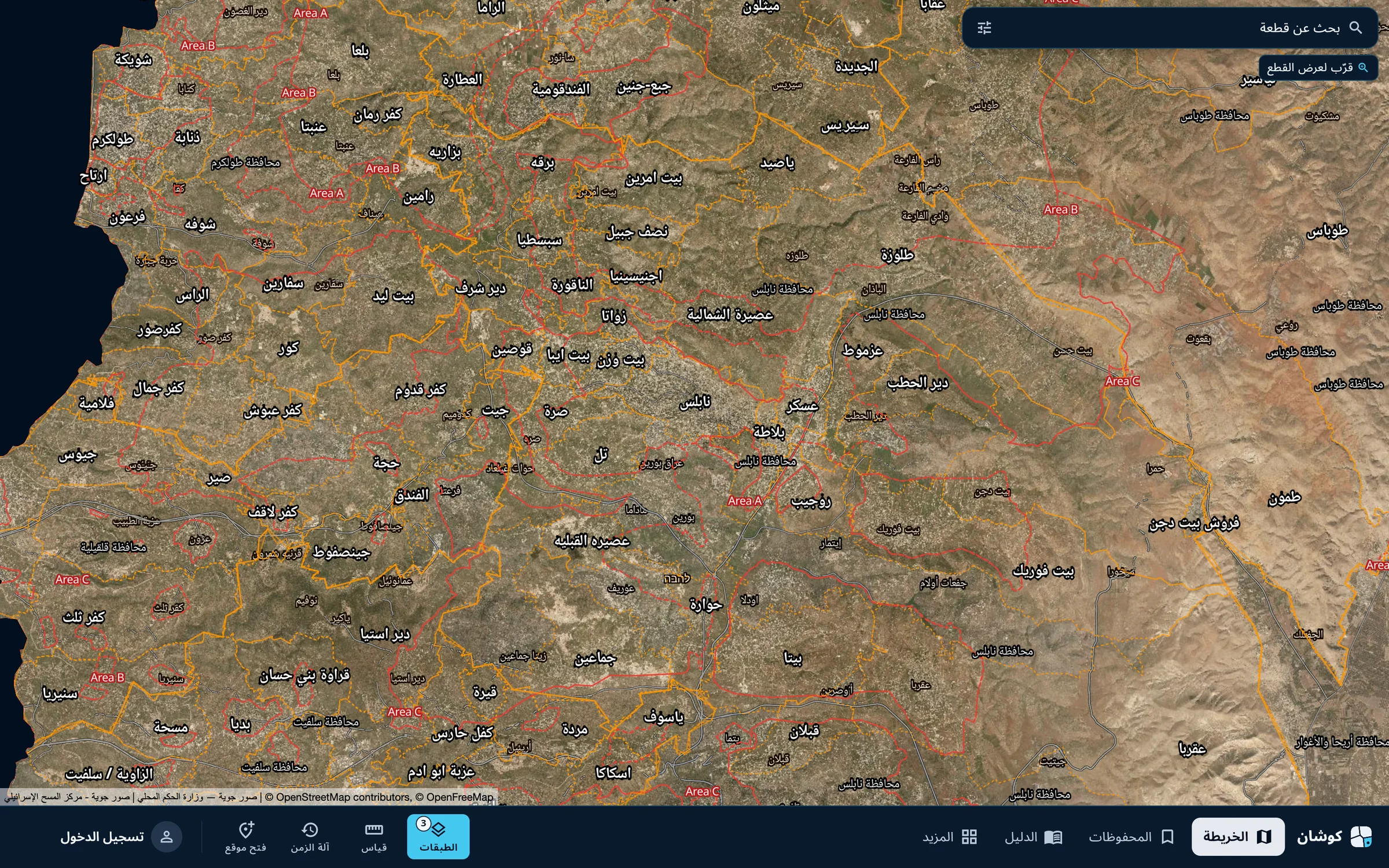
Open the search
Open the map and press the bar «بحث عن قطعة» (Find a parcel) at the top of the map.
-
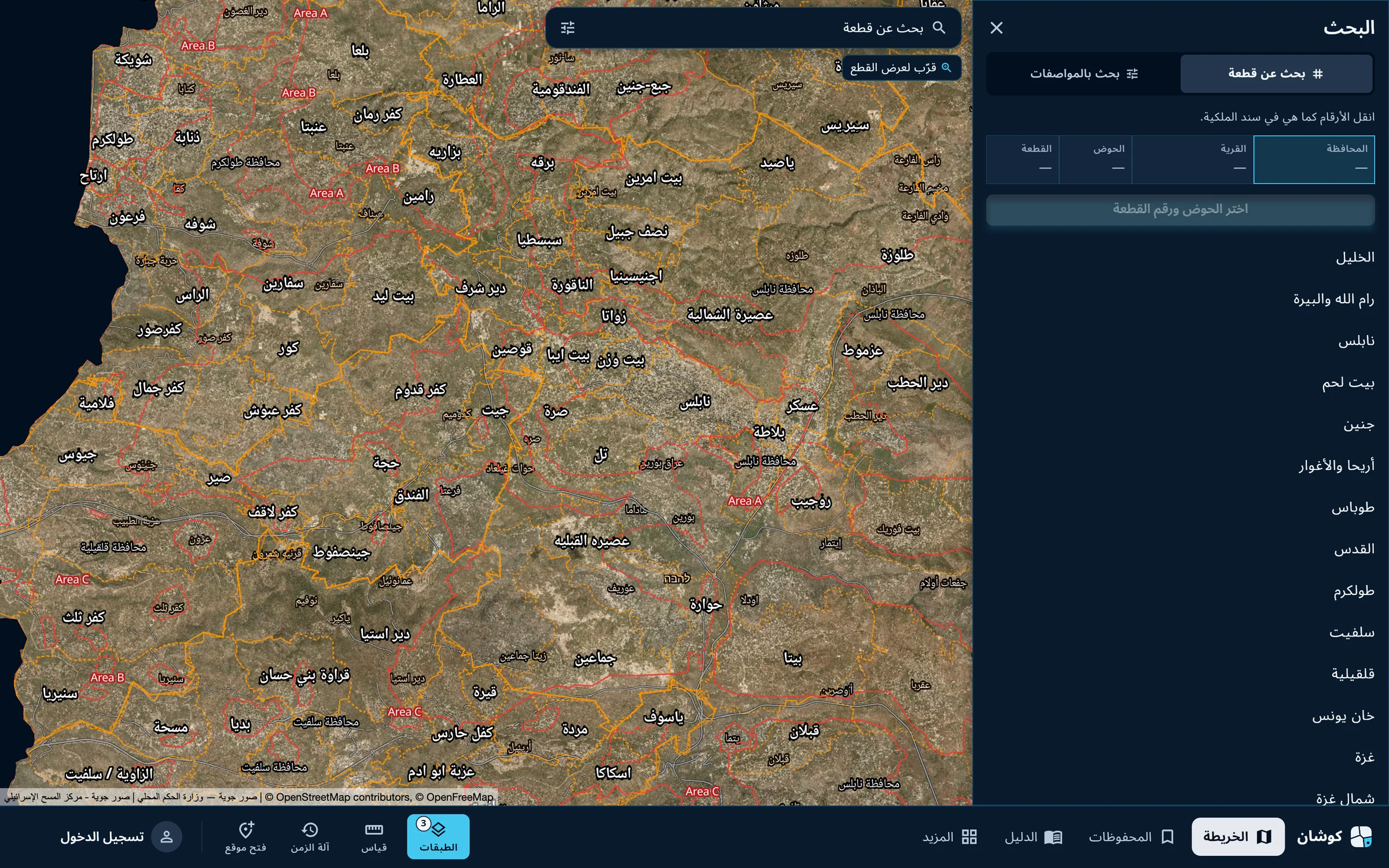
Choose the governorate
The «البحث» (Search) panel opens with four boxes: governorate, village, block, parcel. Pick the governorate from the list.
-
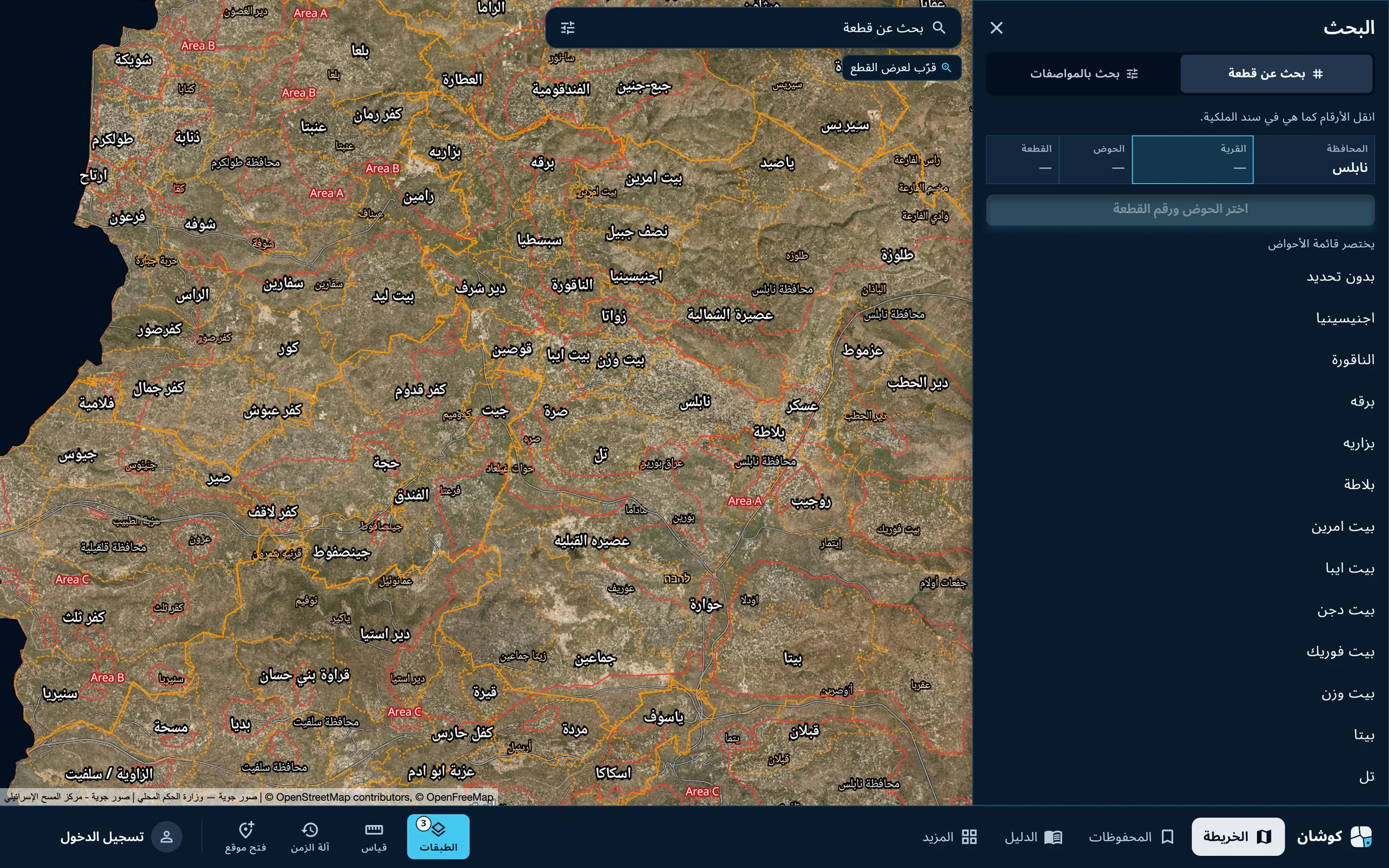
Choose the village
The villages of the governorate appear in Arabic alphabetical order. Scroll and pick the village. Choosing it shortens the list of blocks.
-
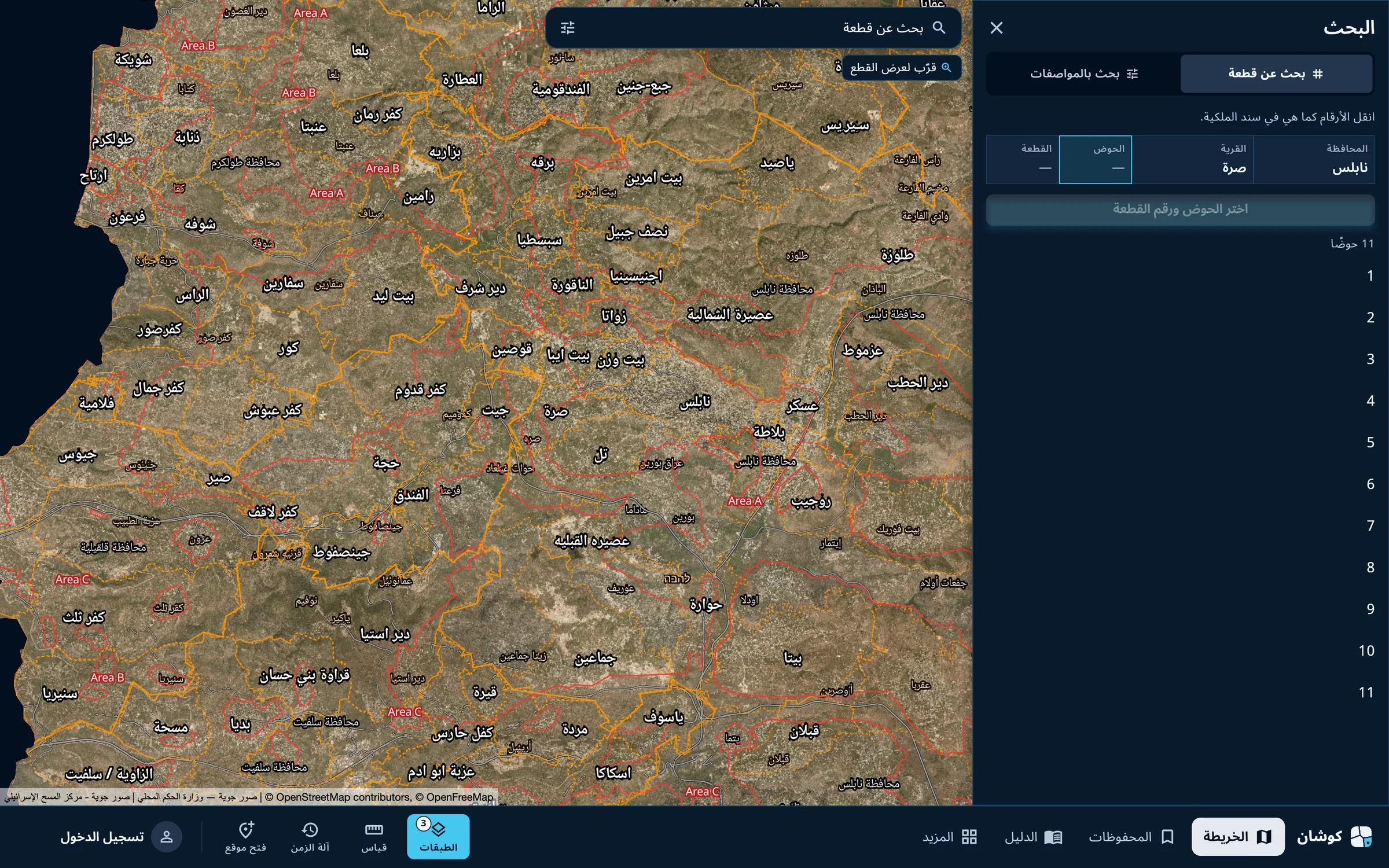
Choose the block
The village's blocks appear by number, with their count. Pick the block number as written on the deed.
-
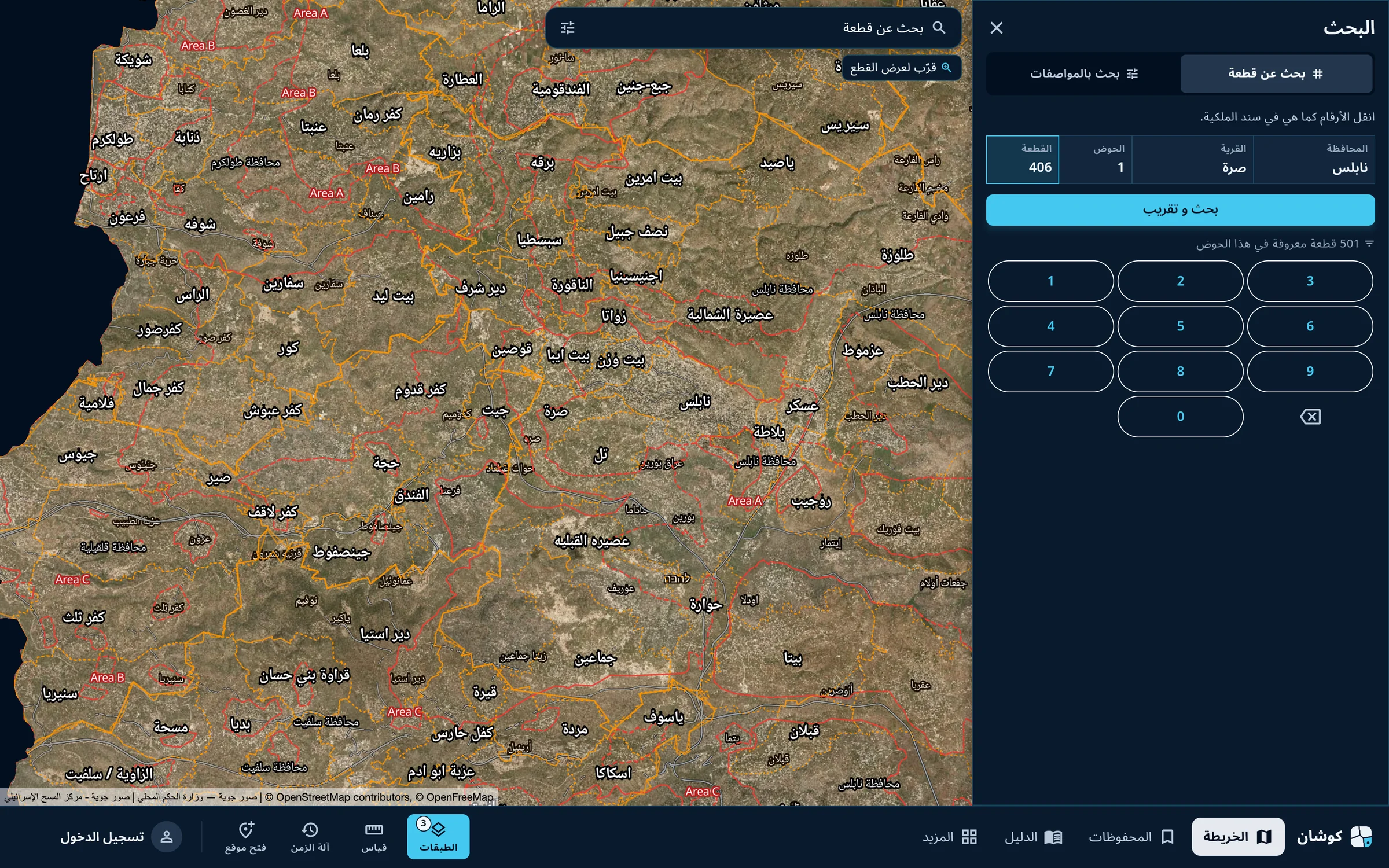
Enter the parcel number
Enter the parcel number on the keypad. The app states how many parcels it knows in the block. Then press «بحث و تقريب» (Search and zoom).
-
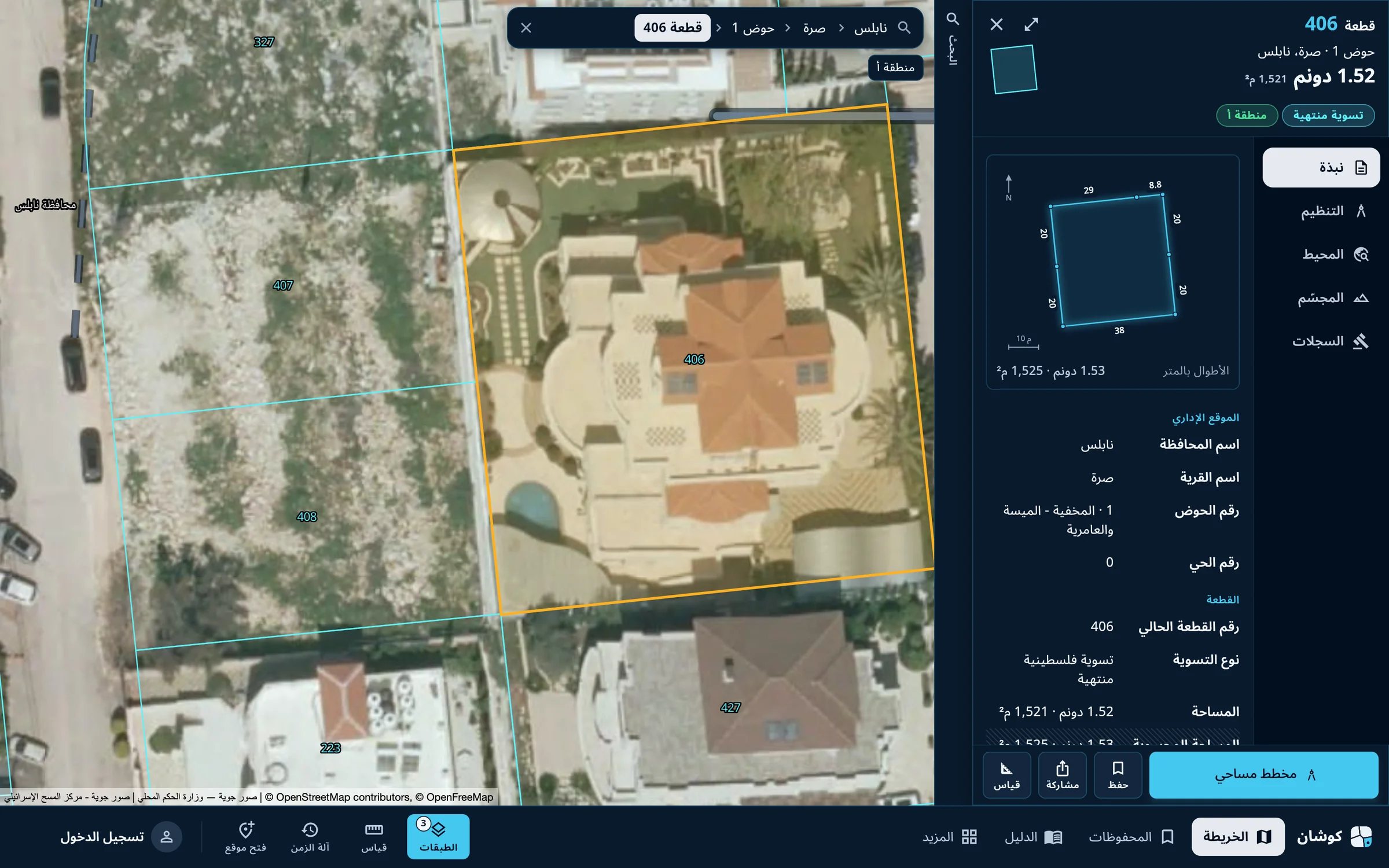
Read the parcel card
The map moves to the parcel and highlights it, and its card opens: number, block and village, area in dunums and square metres, land settlement type and Area classification, and its outline with side lengths. The bar at the top of the map now shows the parcel's path: governorate, village, block, parcel.
Without the numbers, search by specifications finds parcels that match your conditions. See the parcel search guide, and how to read the parcel card.
Qushan — the parcel data shown is administrative and geometric, and is not a legal record of ownership.